Understanding VPN Routers for Home Use
What is a VPN Router?
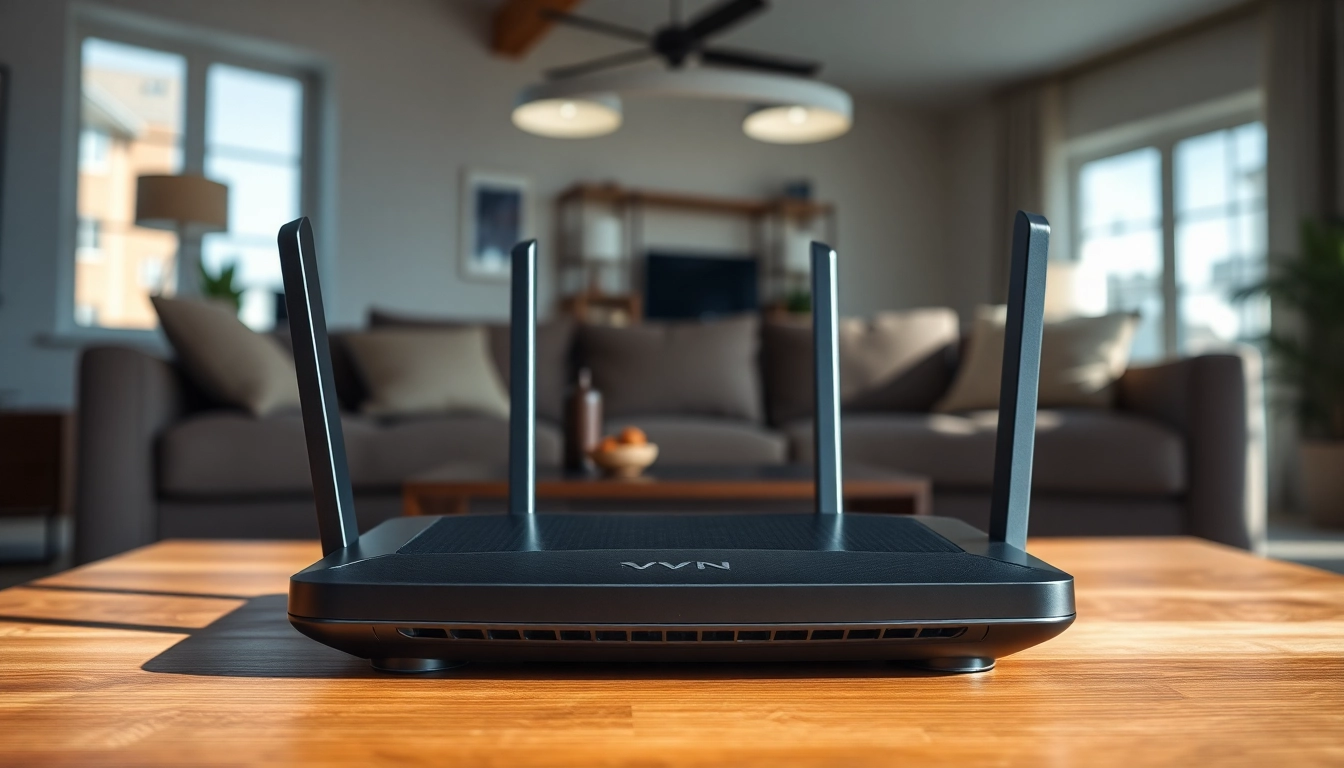
A VPN router is a network device that connects multiple devices to the internet through a Virtual Private Network (VPN). Unlike traditional routers that simply route data, a VPN router uses encryption to secure the data transmitted over your network. This means all devices connected to the router, whether through wired Ethernet or Wi-Fi, benefit from the security features of the VPN service configured on the router. By integrating a VPN directly into your home network, you can protect your entire household's online activities without needing to install software on individual devices.
Benefits of Using a VPN Router
Using a VPN router offers several benefits for home users:
- Comprehensive Security: All connected devices are secured against potential threats, such as data interception or hacking.
- Multiple Device Protection: It covers all devices simultaneously, including smartphones, tablets, and smart home gadgets.
- Unlimited Device Connections: Many VPN services restrict the number of connections. A router bypasses these limits as it counts as a single device.
- Anonymous Browsing: Your IP address is masked, making it difficult for websites and services to track your online activities.
- Access to Global Content: A VPN router can help bypass geographical restrictions, providing access to content available in different regions.
How VPN Routers Enhance Home Security
VPN routers enhance home security by encrypting online traffic, making it unreadable to potential eavesdroppers. This is particularly useful for protecting sensitive information, such as banking details, when using public Wi-Fi connections. Moreover, many VPN routers come with built-in firewalls and advanced security protocols that further shield your network from intrusions. The use of dynamic IP addresses helps to conceal your actual location, providing an additional layer of security that traditional routers lack.
Selecting the Right VPN Router for Home
Key Features to Consider
When selecting a VPN router, consider the following features:
- VPN Protocol Support: Ensure the router supports popular VPN protocols such as OpenVPN, L2TP, or PPTP. This makes it easier to connect to various VPN services.
- Speed and Performance: Look for routers with higher throughput to accommodate streaming and gaming without lag.
- Ease of Setup: A user-friendly interface for setup and configuration can save time and headaches.
- Hardware Specifications: Features like dual or tri-band support, high RAM, and powerful CPUs can make a significant difference in performance.
- Security Features: Built-in firewalls, intrusion prevention systems, and support for the latest security protocols should be prioritized for enhanced security.
Best Specifications for Home Networking
To ensure optimal performance from your VPN router, look for the following specifications:
- Wireless Standard: Opt for routers that support Wi-Fi 6 (802.11ax) for better speed and efficiency.
- Processor: A dual-core or quad-core processor can significantly enhance the router's ability to handle multiple connections and high data loads.
- RAM: At least 256 MB to 512 MB is recommended for smooth performance when running a VPN.
- Multiple WAN Ports: For those needing a failover connection, selecting a router with multiple WAN ports can provide more reliability.
Comparing Price Ranges
VPN routers come in various price ranges, typically ranging from budget models at around $100 to high-end models exceeding $300. Before making a purchase:
- Budget Models: Generally provide basic VPN functionality but may lack advanced features such as high speed or extensive device support.
- Mid-Range Models: Offer a balance of performance, speed, and reliability, typically with better support for multiple protocols.
- High-End Models: Designed for heavy users, these often come with advanced security features, high throughput, and the capability to handle numerous simultaneous connections.
Setting Up Your VPN Router at Home
Step-by-Step Setup Guide
Setting up your VPN router can seem daunting, but following this step-by-step guide can simplify the process:
- Purchase a Compatible Router: Ensure your router is compatible with the VPN service of your choice.
- Connect the Router: Plug the router into a power source and connect it to your modem using an Ethernet cable.
- Access Router Settings: Use a computer or mobile device to access the router’s web interface, typically through a commonly used IP address (e.g., 192.168.1.1).
- Log In: Enter the admin credentials (usually found on the router or in its manual).
- Install VPN Configuration: Navigate to the VPN section within the settings and enter your VPN service credentials, including server addresses, usernames, and passwords.
- Save Settings: Apply the changes and restart the router for the configurations to take effect.
Common Installation Errors to Avoid
While setting up your VPN router, consider the following common pitfalls:
- Incorrect Credentials: Ensure you input accurate VPN login details to avoid connection issues.
- Outdated Firmware: Regularly check and update your router's firmware for improved security and performance.
- Disabled VPN Protocol: Confirm the required VPN protocol is enabled and fully supported on your router.
- Firewall Conflicts: Sometimes, local firewall settings can conflict with the router’s functionality. Be mindful of these settings.
Configuring VPN Settings for Optimal Performance
To achieve the best performance from your VPN router, consider these configuration tips:
- Choose the Right Server: Connect to the nearest VPN server to minimize latency and increase speed.
- Use Split Tunneling: This feature allows you to route some traffic through the VPN while leaving other traffic untouched, enhancing speed for non-secure browsing.
- Use Strong Encryption: Opt for robust encryption protocols (like OpenVPN or WireGuard) to balance security and performance.
- Regularly Test Speeds: Frequently check your internet speeds to ensure the VPN is functioning optimally, adjusting configurations if necessary.
Maximizing the Performance of Your VPN Router for Home
Improving Speed and Connectivity
To enhance the speed and connectivity of your VPN router, consider the following tactics:
- Positioning: Place your router in a central location within your home to ensure even Wi-Fi coverage.
- Reduce Interference: Keep the router away from electronic devices that might cause wireless interference, such as microwaves or cordless phones.
- Channel Selection: Change the router’s broadcast channel to reduce congestion, especially in apartment buildings where many networks might interfere.
Advanced Configuration Options
For tech-savvy users, certain advanced configurations can enhance performance:
- VPN Passthrough: Enable this setting if you want devices on your network to establish VPN connections outside of the router.
- QoS Settings: Quality of Service settings can prioritize bandwidth for certain applications, ensuring uninterrupted streaming or gaming.
- Device Isolation: For added security, enable the option to prevent devices from communicating directly with each other on the network.
Regular Maintenance Tips
To keep your VPN router in top-notch form:
- Firmware Updates: Regularly check for and install firmware updates that can provide security patches and improve performance.
- Monitor Logs: Review connection logs periodically to detect any unusual activities that may indicate security issues.
- Check Connections: Conduct routine checks to ensure all devices are properly connected and using the VPN as intended.
FAQs about VPN Routers for Home
Is a VPN router good for home use?
A VPN router is ideal for home use as it secures multiple devices, providing enhanced privacy and internet safety for every family member.
What is the best VPN router for home?
Choosing the best VPN router depends on speed, security features, and compatibility. Look for routers that support several VPN protocols.
How do I set up a VPN on my router?
To set up a VPN on your router, access the router’s admin settings, input your VPN credentials, and apply necessary configurations according to the provider’s guidelines.
Will using a VPN slow down my internet?
VPN usage can slow down your internet due to encryption processes. However, choosing a lower-latency server or a high-speed router can mitigate this.
Do I need a separate device for a VPN?
No, a VPN can be configured directly on your router, allowing all your devices to connect through the secure VPN without needing separate software.
Investing in a vpn router for home not only safeguards your online presence but enhances your connectivity experience throughout your household. Take the time to research and choose a router that meets your needs, and you will enjoy a safer, faster internet experience.